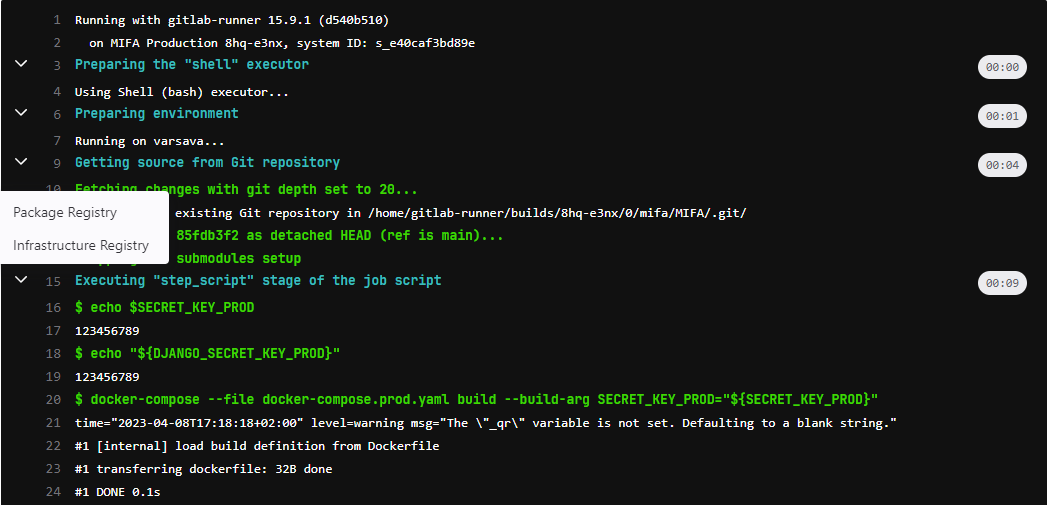
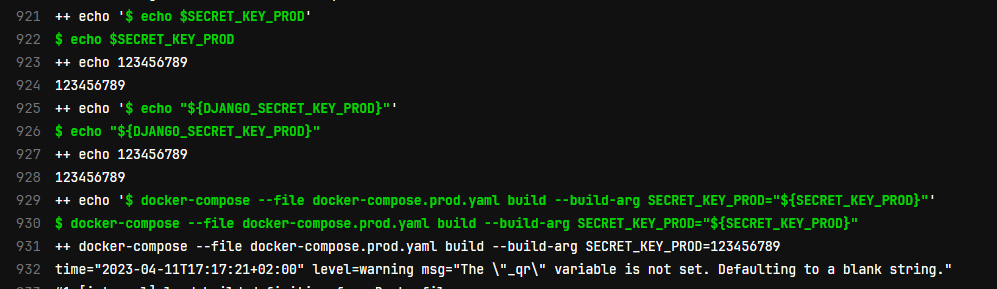
Hello All,
If I set the value directly in .gitlab-ci.yml, everything appear in docker, see attachments.
If I take the value from GitLab CI/CD, the value does not appear in docker, see attachments.
GitLab
Can you please advise where the fault is? Thank you
Same issue but with kubernetes executor.
I have opened a support ticket.
@sedivyz did you try to run your job with CI_DEBUG_TRACE=true ?
On my side, variables are injected on every steps before job script. I mean that it’s available in pre-clone, post-clone and pre-build hook scripts. But not at job script.
1 Like
@cyril.marin Thank you for your messenge.
Project variables are injected.
So that the problem is on the side of docker, which does not take variables? Any ideas what it could be please?
Thank you.
Could the problem be in the following warning?
time=“2023-04-11T17:17:21+02:00” level=warning msg=“The "_qr" variable is not set. Defaulting to a blank string.”
After some more investigations on my problem, i found that it was a missconfiguration in Yarn (it’s a js application).
I bet in your situation the issue is arround docker-compose, not related to gitlab-ci .
<!---
This file is generated, changes will be overwritten or CI specification check will fail
All changes should be done in the markdown files located in the spec directory
-->
# The Compose Specification
{:.no_toc}

* ToC
  {:toc}

## Status of this document

This document specifies the Compose file format used to define multi-containers applications. Distribution of this document is unlimited.

The key words "MUST", "MUST NOT", "REQUIRED", "SHALL", "SHALL NOT", "SHOULD", "SHOULD NOT", "RECOMMENDED", "MAY", and "OPTIONAL" in this document are to be interpreted as described in [RFC 2119](https://tools.ietf.org/html/rfc2119).

### Requirements and optional attributes

The Compose specification includes properties designed to target a local [OCI](https://opencontainers.org/) container runtime,
exposing Linux kernel specific configuration options, but also some Windows container specific properties, as well as cloud platform features related to resource placement on a cluster, replicated application distribution and scalability.
show original
Solution was make export Variables and delete created images dockers from past.
Thank you for clue.
variables:
  SECRET_KEY_PROD: $DJANGO_SECRET_KEY_PROD

  CI_DEBUG_TRACE: "true"


build:
  rules:
    - if: '$CI_COMMIT_REF_NAME == "main"'
  stage: build

  environment:
    name: main
    url: https://XXXXXXX


  script:
  - export SECRET_KEY_PROD="${DJANGO_SECRET_KEY_PROD}"
  - docker-compose --file docker-compose.prod.yaml up -d --build

stages:
- build
1 Like
The cached images I think was the problem for me - I blew everything away with
docker rmi -f $(docker images -a -q)
and it seemed to work - thanks @sedivyz !