[
{
“description”: “‘unused’ is assigned a value but never used.”,
“fingerprint”: “7815696ecbf1c96e6894b779456d330e”,
“location”: {
“path”: “lib/index.js”,
“lines”: {
“begin”: 42
}
}
}
]
in the project yml, add example.json to job’s artifacts and also codequality (artifacts:reports:codequality:)
launch the job
observe that the file is successfully parsed and uploaded. For instance, I see:
quality/example.json: found 1 matching files
Uploading artifacts to coordinator… ok id=192742 responseStatus=201 Created token=-kEeCzbg
observe that “Job artifacts” block on the right contains this file (which is also fine)
visit the job’s corresponding MR page
AR: the report is not present anywhere on the page
ER: the report is displayed
Hi @kryanod welcome to the GitLab forum and thanks for posting!
The Code Quality Merge Request widget shows the difference between the code quality reports of the target and source branch, not the full body of the report. The full body is available as a download as you saw and in the UI on the pipeline details page and the Code Quality report tab.
Hi! Thanks for your reply.
Problem is: the full body of the report is nowhere to be seen in the pipeline details page (there is no quality report page or anything like that). Please see the screenshots.
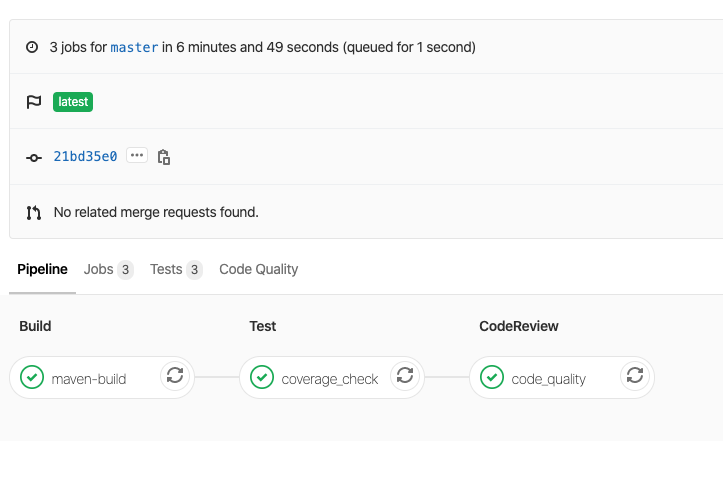
It doesn’t look like you have a code quality job in your pipeline. That’s what creates and stores the artifacts to be parsed for the Merge Request Widget and the Code Quality Report Tab (see screenshot below). I recorded a walk through of this for the GitLab Unfiltered YouTube channel. I hope it helps!
Thanks for your reply.
You are right, I don’t have a code quality job in my pipeline. I’m trying to have another tool generate the report in the code quality format, and publish it to get that nice “see results on the MR page” result.
I was referring to this documentation: https://docs.gitlab.com/ee/user/project/merge_requests/code_quality.html#implementing-a-custom-tool
Did I get it right? If my report matches the format and I publish it via artifacts:reports:codequality:, it will be published as if it was an authentic code quality report. At first, I thought something’s wrong with my tool, but then I created a simple static json file and tried to upload it, and still no luck. Could you please re-read my first message, it might make a bit more sense now (sorry if I’m being a pain).
Just having a report in the repo will not cause the MR widget to populate. There still needs to be a job that does the upload of the code quality artifact even if it’s pulling it from somewhere else. I don’t have an example handy to show how to do this but if you get it working let us know! Good luck!
I’m afraid I’m confused, and I desperately need your help.
In order to publish, say, a junit report, I need to 1. have a file 2. export it via artifacts:reports:junit:. And that’s it, the junit report is displayed as a widget on the MR page.
You are saying that the same two steps applied to code quality are not enough? I.e. apart from 1. having the report and 2. exporting it via artifacts:reports:codequality:, there needs to be a step 3? Why?
Also, the job file doesn’t appear to be doing anything fancy to publish the report.
Have same issue, and also i cant see “Code cuality” on pipeline page, but if add “/codequality_report” into URL, after pipe ID, tab will be shown with correct report. Are problem solved? coze i see what @jheimbuck_gl are not competented totally.
Have the same problem mentioned here about the code quality. Tried to find solution on forums but as we see nothing helped. By the way “/codequality_report” a bit helped.
Using two custom linters: ruff and pylint. Do anyone maybe has the same issue as me?