Hi,
ok now you got me addicted, I’ll try hacking that up with gitlab.com and the Python API client.
Example: https://gitlab.com/dnsmichi/api-playground/blob/master/python/protected_branches.py
#!/usr/bin/env python

import gitlab

PROJECT_ID=15013654

gl = gitlab.Gitlab.from_config('gitlab.com', ['/Users/michi/.python-gitlab.cfg'])
project = gl.projects.get(PROJECT_ID)

# https://python-gitlab.readthedocs.io/en/stable/gl_objects/protected_branches.html
print("Protected branches")
p_branches = project.protectedbranches.list()
print(p_branches)

print("Protected branch: master")
p_branch = project.protectedbranches.get('master')
print(p_branch)

protect_me = "123"
p = None
# https://python-gitlab.readthedocs.io/en/stable/gl_objects/access_requests.html?highlight=developer_access#access-requests
try:
    p = project.protectedbranches.get(protect_me)
except:
    pass

if not p:
    p = project.protectedbranches.create({
        'name': protect_me,
        #'merge_access_level': gitlab.DEVELOPER_ACCESS,
        'merge_access_level': 60,
        'push_access_level': 60
    })
print(p)
With that, it works. So maybe this is fixed in 12.5.5 already.
<class 'gitlab.v4.objects.ProjectProtectedBranch'> => {u'unprotect_access_levels': [{u'access_level': 40, u'group_id': None, u'user_id': None, u'access_level_description': u'Maintainers'}], u'push_access_levels': [{u'access_level': 60, u'group_id': None, u'user_id': None, u'access_level_description': None}], u'code_owner_approval_required': False, u'merge_access_levels': [{u'access_level': 60, u'group_id': None, u'user_id': None, u'access_level_description': None}], u'name': u'123'}
Well, it doesn’t the python client somehow eats the errors.
Research
https://docs.gitlab.com/ee/api/access_requests.html says that the level can be 40 max, and for groups you can raise that to owners being 50. But not 60.
Let’s try 50, likewise this snippet:
    p = project.protectedbranches.create({
        'name': protect_me,
        'merge_access_level': gitlab.DEVELOPER_ACCESS,
        'push_access_level': gitlab.OWNER_ACCESS
    })
Now I get the same error like you.
Traceback (most recent call last):
  File "protected_branches.py", line 31, in <module>
    'push_access_level': gitlab.OWNER_ACCESS
  File "/usr/local/lib/python2.7/site-packages/gitlab/exceptions.py", line 269, in wrapped_f
    raise error(e.error_message, e.response_code, e.response_body)
gitlab.exceptions.GitlabCreateError: 400: push_access_level does not have a valid value
Considering that OWNER_ACCESS is somehow reserved for groups, but doesn’t work for protected branches … now I am really confused.
0  => No access
30 => Developer access
40 => Maintainer access
60 => Admin access
10 => Guest access
20 => Reporter access
30 => Developer access
40 => Maintainer access
50 => Owner access # Only valid for groups
Going back to 60, it eats that but it has no effect then.
Interface options
The settings do not offer admin access, so I’d say that simply is not implemented and the documentation is not uptodate in this regard. Or I am missing something.
I’m the owner of that repository, and I can only limit that like this:
Maybe “noone” has the same effect?
Let’s reverse engineer that. Google Chrome’s web console is my friend.
Next try
    p = project.protectedbranches.create({
        'name': protect_me,
        'merge_access_level': 0,
        'push_access_level': 0
    })
<class 'gitlab.v4.objects.ProjectProtectedBranch'> => {u'unprotect_access_levels': [{u'access_level': 40, u'group_id': None, u'user_id': None, u'access_level_description': u'Maintainers'}], u'push_access_levels': [{u'access_level': 0, u'group_id': None, u'user_id': None, u'access_level_description': u'No one'}], u'code_owner_approval_required': False, u'merge_access_levels': [{u'access_level': 0, u'group_id': None, u'user_id': None, u'access_level_description': u'No one'}], u'name': u'*-support'}
That seemed to work.
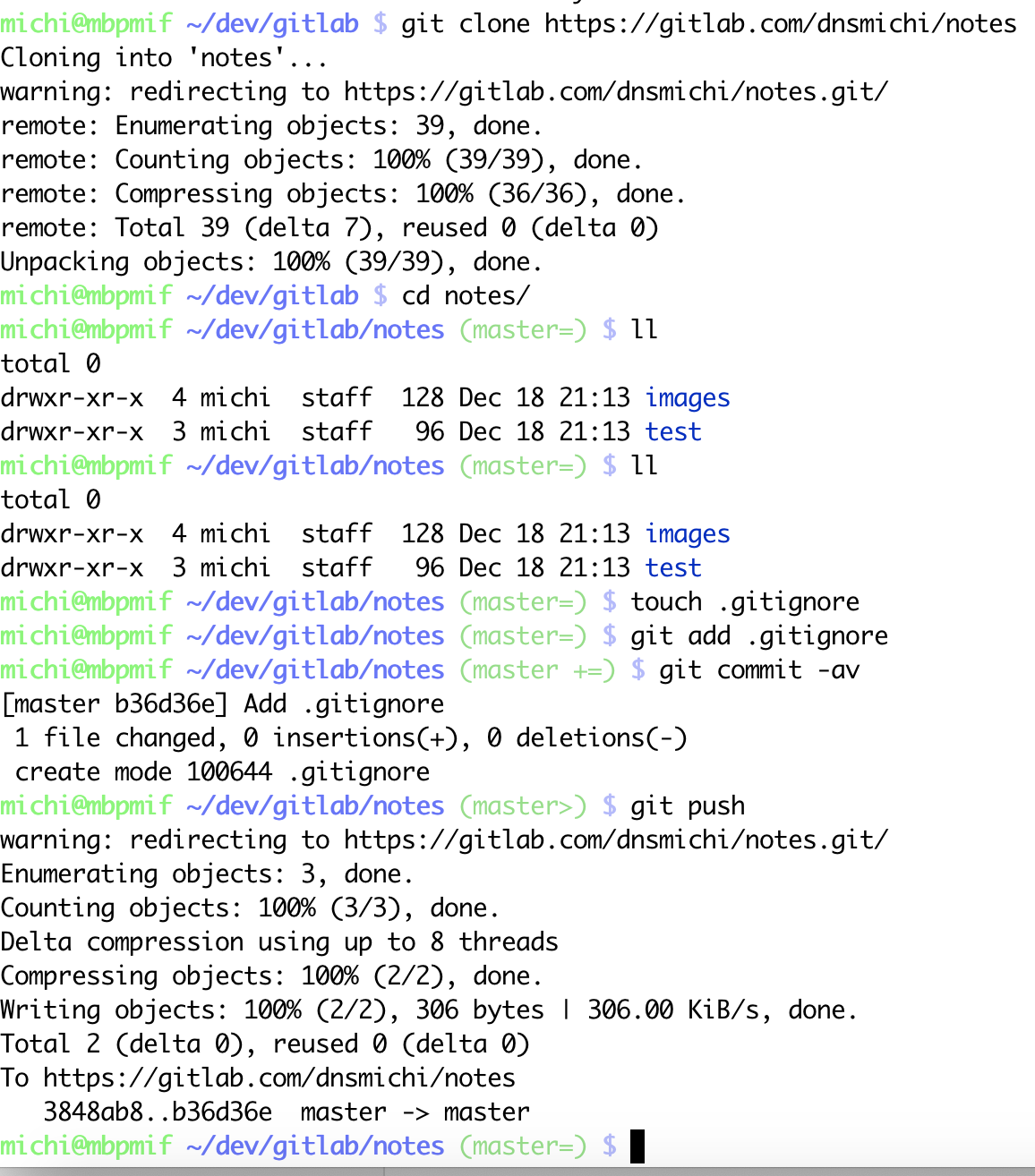
Since I am the owner of that project, I still should be able to push there.
Let’s try this.
Owner can still push?
Yep yep.
Conclusion
I’d say you need to re-think your strategy with limiting access here. It is not the “admin” role which grants access to protected branches and removes that permission from other roles.
Instead you’ll pick “0 = no one” and still have the owner permissions. Something else won’t work to my knowledge.
If you fear that owners take advantage of this setting, you can create a cronjob which always resets this to 0 every 5 seconds or so. I’ve recently suggested that to a customer.
Cheers,
Michael